Compressors
Compressors allow you to control your input levels with high precision, and help you maximize the dynamic range of your recordings.
So what's the story with these things anyway?? First a word about Clipping.
Imagine that your A/D Converter is expecting an incoming signal that is within a range from 0 - 10.
If you send in a signal with an intensity of 11 then the ADC won't know what to do with it.
Since any value over 10 has no definition, the circuit will clip off the signal in strange places, altering the signal, and output some very irritating and bizarre sounds.
This is much different than the intentional distortion produced by an over-driven amp, which is a deliberate controlled altering of the signal.
So how can you avoid the unpleasantness which is clipping?
Why using a compressor of course!
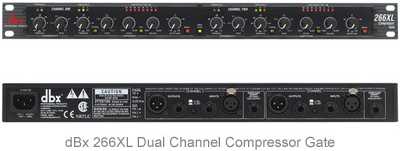
Basically, what this piece of gear provides is an operator defined cap to the loudness of your signal.
In other words, it is a way to set a "loudness limit" on your output.
Anything that exceeds the limit would be knocked down to the level you determine.
So this can be of great use to avoid overloading or saturating your signal into your DAW.
Some terms that will come in handy when looking into compressors are Threshold, Attack, Release, and Ratio.
Basic Compressor Settings
Threshold is the signal level at which you want the gain reduction to kick in.
If the signal level exceeds this defined value then the Compressor will do its thing and reduce (or "attenuate") the signal down.
Attack is a measure of how long it takes the circuit to kick the signal level down once the threshold has been exceeded.
Usually measured in milliseconds (ms), a faster attack will drop the signal quickly, while a slower attack will reduce it over a longer period of time.
Release deals with the time it takes for the signal to return to a steady value once the signal has been attenuated.
Like attack, a faster release will bring the signal back rapidly, while a slower release will bring it back more gradually.
Ratio defines how much the signal is reduced once it passes the threshold you assign.
A 1:1 ratio is effectively turning this functionality off, because 1 dB of input yields 1 dB of output.
However, at a 4:1 ratio it would take 4 dB of signal in to produce 1 dB of signal out... 4 to 1 get it?!?
Now if the ratio is really cranked up... like at ∞:1 then you are essentially putting a true cap on the upper signal level.
No matter how much more input you give it the output only increases 1 dB.
This is what is known as a limiter. It used to be that this was a dedicated unit, but now you can gain this functionality with any compressor that has very high ratio settings.
One useful result of taking signals above your threshold and bringing them down to a common level is an increase in the perceived sustain of a note.
This is true for both vocals and instruments and can really make a big difference in the final tone.
I've found that despite all the options, a good starting point for the settings is to use a threshold of around -10 dB, and an attack parameter of the fastest setting possible, and a ratio of 4:1.
Then you can tweak only the release to what sounds best to you.
So if the high end (loud) of the dynamic range is handled via the compressor... how do we deal with the low end (quiet) signals??.
For this let's have a look at Expanders.
Expander / Noise Gate
If you are conceptually able to understand what is going on with the compressor above then you are in great shape.
This does exactly the same thing but just on the low end of the dynamic range.
Noise Gates can be thought of as a type of expander... just with a few less options, but the idea is the same.
Instead of applying a limit on the loudness (as seen above) this chops off the sounds below a certain threshold.
The expander function allows you to eliminate any signals that are below your desired level.
This is useful for keeping unwanted ambient noises from entering the recording zone in your Digital Audio Workstation.
Chances are you are not in an isolated area and need to keep the wonderful noises around your home and neighborhood from muddying up your music.
So in this way the threshold setting is similar in that it defines the level at which you would like the gate to "close" and block everything out.
The ratio can be thought of here as controlling the speed or response time of the gate.
A fast gate will shut quickly, chopping off the sound abruptly, while a slower gate will fade more naturally.
Both have their places and there is no right or wrong way to set the parameters on your Compressor / Expander.
Play around and see what sounds good to you... you may find a new sound or effect that sets your creativity off.


